


Product Name:
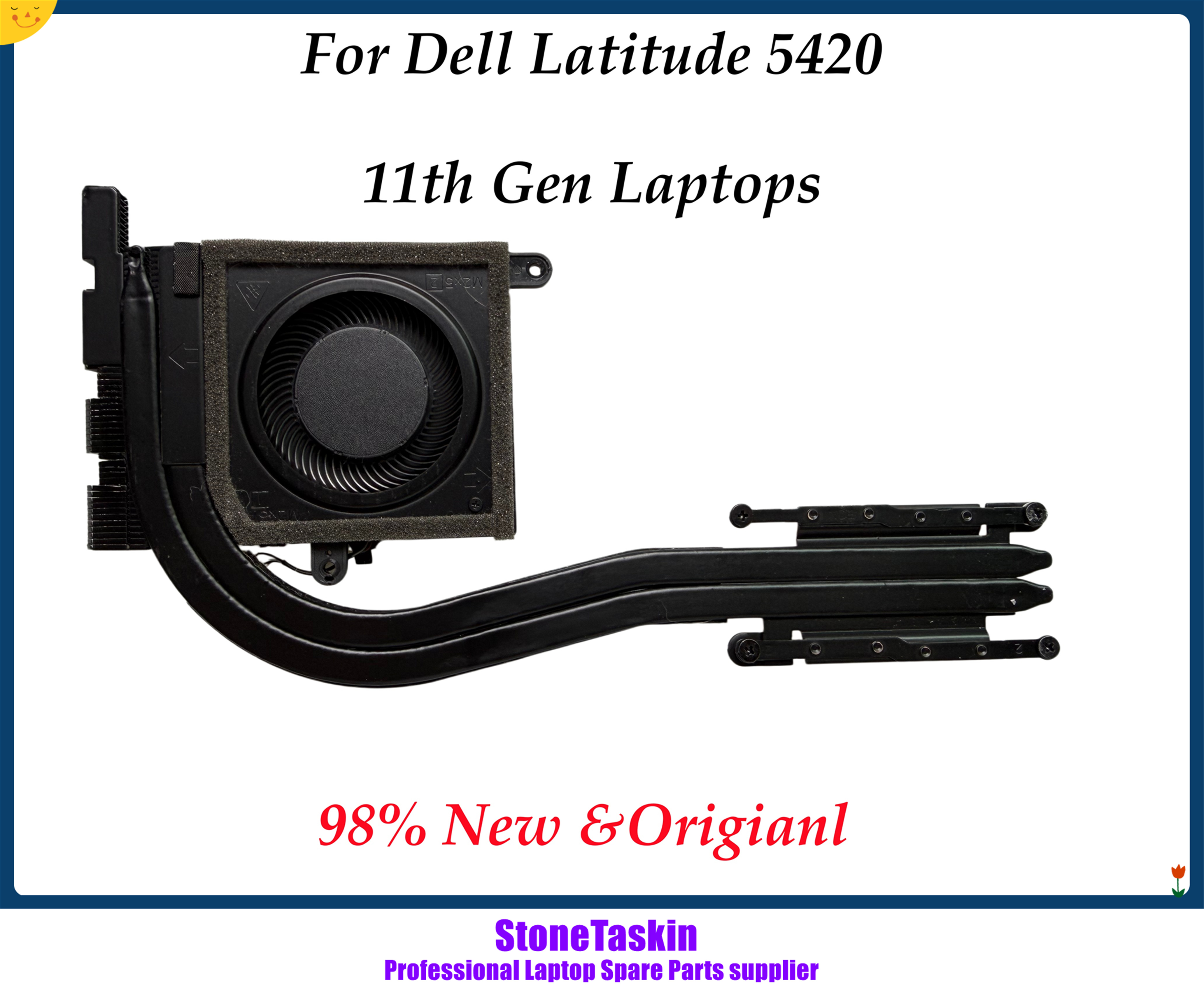
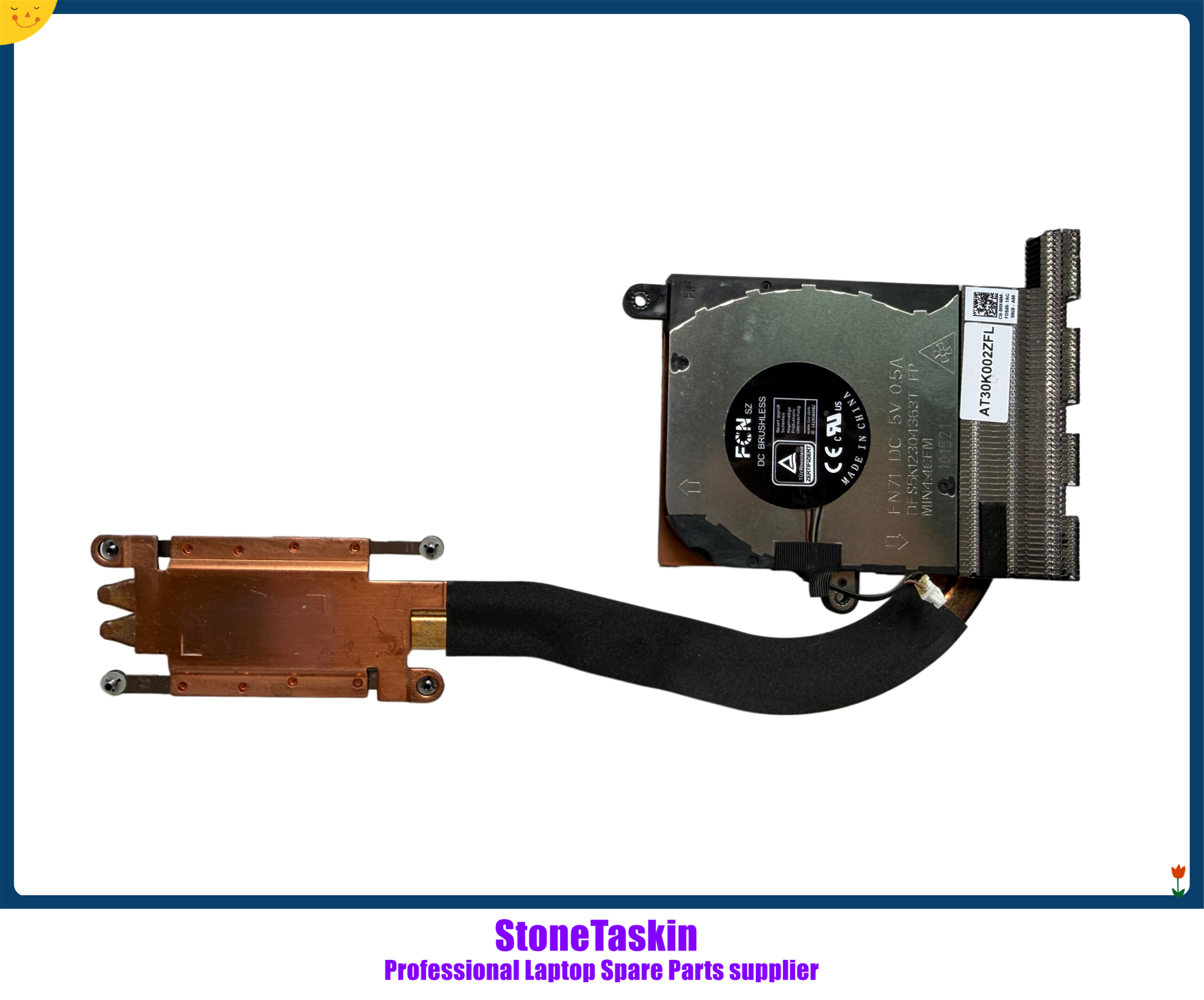
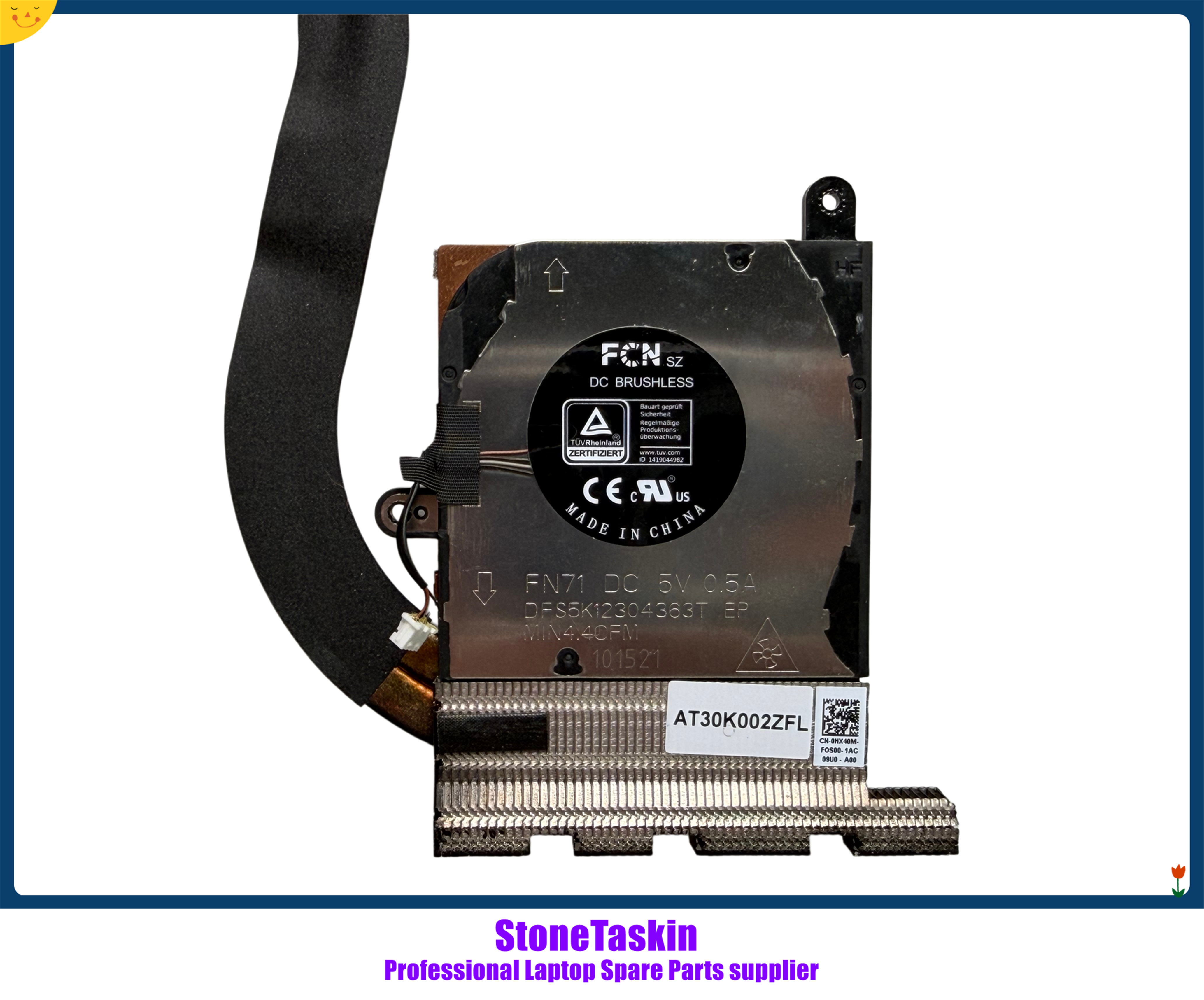
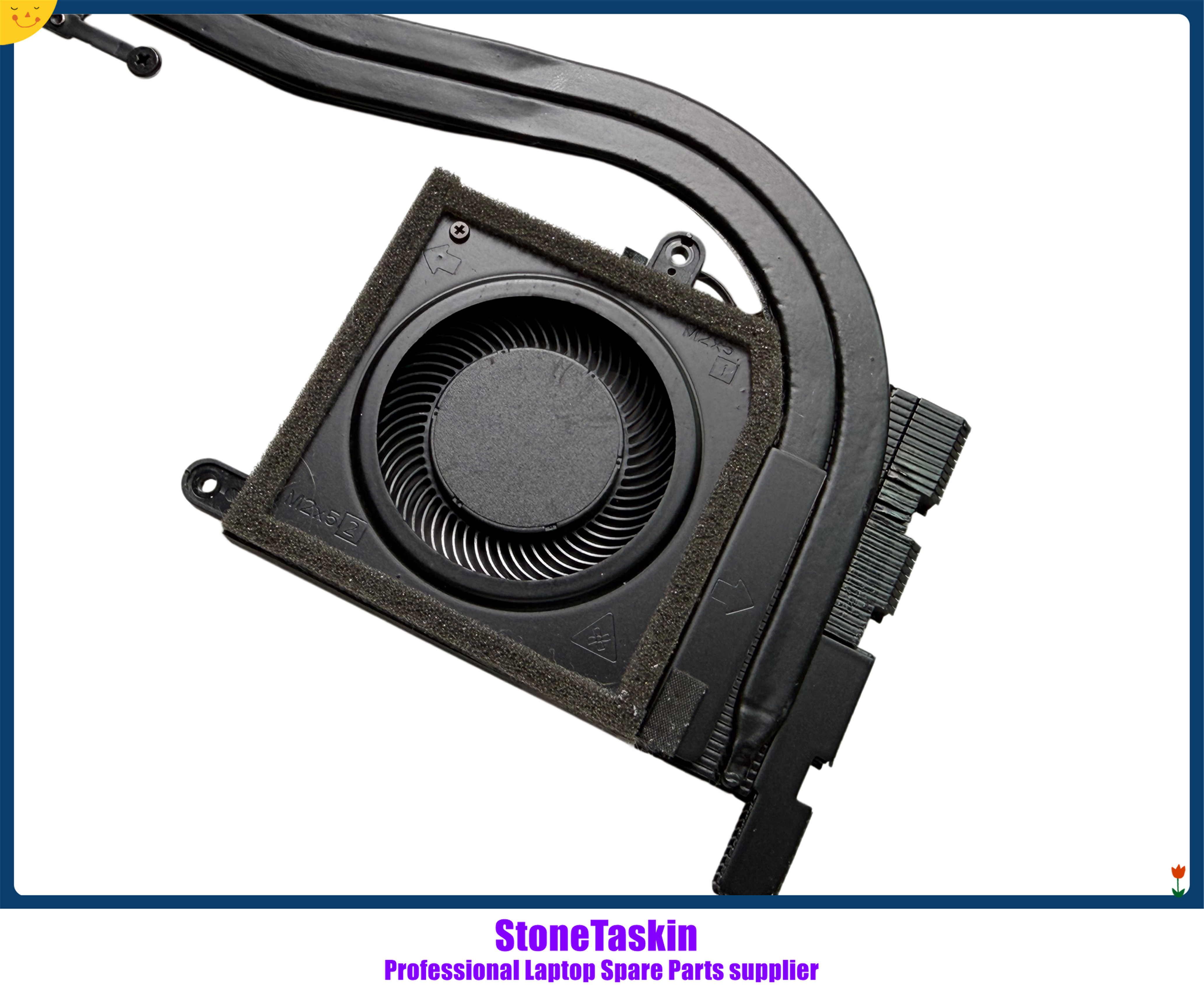
StoneTaskin Genuine Original Refurbished For Dell Latitude 5420 E5420 CN-0HX40M Cooling Heatsink Radiator Fan 45 Days Warranty
Product Description:
This is a refurbished, original Dell cooling assembly (heatsink + fan) designed for the Dell Latitude 5420/E5420 business laptop. It is a direct replacement for the original cooling system with Dell part number CN-0HX40M. The part has been professionally refurbished (cleaned, tested, and restored) to ensure proper thermal performance and comes with a 45-day warranty.
Key Specifications:
|
Item |
Details |
|---|---|
|
Part / Model Number |
CN-0HX40M (Dell's original part number for the heatsink-fan assembly) |
|
Type |
Cooling Heatsink Radiator with Integrated Fan |
|
Condition |
Refurbished (Original Dell part, cleaned, tested, and restored) |
|
Core Components |
Copper heat pipes, aluminum fin stack, integrated centrifugal fan |
|
Compatibility |
Dell Latitude 5420, E5420 (specific configurations) |
|
Warranty |
45 days |
Compatibility & System Context:
Primary Compatible Devices:
This heatsink is designed for the Dell Latitude 5420/E5420 series, a 14-inch business laptop. Compatibility is tied to the specific thermal design and motherboard layout of models using the CN-0HX40M part.
Important Note: "Refurbished" means this is a used, original Dell heatsink-fan assembly that has been disassembled, thoroughly cleaned of dust and old thermal paste, inspected for damage (bent fins, fan bearing issues), and tested for basic functionality. It is not a brand-new part from Dell.
Function & Critical Importance:
The combined heatsink and fan is the laptop's primary active cooling system. Its functions are:
-
Heat Absorption: Draws heat from the CPU (and sometimes chipset) via thermal interface material.
-
Heat Distribution: Spreads heat through copper heat pipes to the aluminum fin stack.
-
Heat Dissipation: The integrated fan blows air through the fins to exhaust heat from the laptop chassis.
-
A failing unit leads to overheating, thermal throttling (reduced CPU performance), system instability, and potential long-term damage.
Common Scenarios Requiring Heatsink/Fan Replacement:
-
Fan Failure: The fan makes grinding noises, stops spinning, or spins erratically.
-
Severe Clogging: The heatsink fins are irreparably clogged with dust and debris, impairing airflow.
-
Physical Damage: Bent or broken heat pipes or fins, often from previous repair attempts.
-
Poor Thermal Performance: Even after repasting and cleaning, temperatures remain excessively high, indicating degraded heat pipe efficiency.
Installation Guide (Medium Difficulty):
️ Warning: Replacing the heatsink requires partial to full disassembly of the laptop. Basic to intermediate technical skill is recommended.
Required Tools & Materials:
-
Precision screwdriver set (Phillips #0, #00)
-
High-quality thermal paste (e.g., Arctic MX-4)
-
Plastic spudger/prying tools
-
Isopropyl alcohol & lint-free wipes (for cleaning)
-
Anti-static precautions (wrist strap or grounded work surface)
Step-by-Step Overview:
-
Power Down & Open: Shut down the laptop, unplug it, and remove the battery (if removable). For Latitude 5420, remove the bottom cover by unscrewing all screws.
-
Disconnect Battery & Prepare: If the battery is internal, disconnect its cable from the motherboard. Disconnect the fan cable from the motherboard.
-
Remove the Old Heatsink: The heatsink is secured to the motherboard with several screws, usually in a numbered sequence. Unscrew them in reverse order (e.g., 4,3,2,1) to avoid warping the board. Gently lift the old assembly away.
-
Clean Surfaces: Thoroughly clean the CPU die and the base of the new heatsink with isopropyl alcohol to remove all old thermal paste residue.
-
Apply New Thermal Paste: Apply a small, pea-sized amount of new thermal paste to the center of the CPU.
-
Install New Heatsink: Carefully place the refurbished StoneTaskin heatsink onto the CPU, aligning all screw holes. Screw it down in the correct numbered order, tightening each screw gradually in a cross pattern. Do not overtighten.
-
Reconnect & Reassemble: Reconnect the fan cable to the motherboard. Reconnect the internal battery (if disconnected). Replace the bottom cover and screws.
Warranty & Support:
-
Warranty Period: 45 days from the seller.
-
Coverage: Typically covers defects in the refurbished part (e.g., fan doesn't spin on arrival, major physical defects).
-
Exclusions: Damage due to incorrect installation, use of wrong thermal paste, or overheating damage to other components is not covered.
-
No Dell Support: This is a third-party refurbished part; Dell provides no warranty or support for it.
Package Contents:
-
1 x Refurbished Heatsink & Fan Assembly (CN-0HX40M).
Purchase Verification Checklist:
-
Exact Model Confirmation: Your laptop must be a Dell Latitude 5420 or E5420. Check the service tag or model label on the bottom.
-
Part Number Match: Verify the original part number on your old heatsink is CN-0HX40M. This is crucial, as different CPU configurations (e.g., with/without discrete graphics) may use different heatsinks.
-
Skill Assessment: Ensure you are comfortable with laptop disassembly and handling fragile components.
-
Material Readiness: Have thermal paste and the necessary tools ready before starting.
Why Consider This Refurbished Heatsink?
-
OEM Fit and Performance: As an original Dell part, it guarantees perfect physical and thermal compatibility.
-
Cost-Effective Solution: Significantly cheaper than buying a brand-new OEM heatsink from Dell, especially for an out-of-warranty laptop.
-
Solves Core Cooling Issues: Directly addresses problems caused by a failed fan or inefficient heatsink.
Important Notes & Risks:
-
Refurbished Nature: This is a used part. While cleaned and tested, its long-term reliability cannot be guaranteed to the same standard as a new part.
-
Installation Risk: Improper installation (uneven screw tightening, insufficient/too much thermal paste) can lead to poor cooling and CPU damage.
-
Thermal Paste Required: Thermal paste is NOT included. You must purchase it separately.
-
Professional Recommendation: If you are not confident in your technical skills, having the repair done by a professional is strongly advised to avoid costly mistakes.
Final Summary:
The StoneTaskin refurbished heatsink-fan assembly (CN-0HX40M) is a practical, cost-effective replacement for restoring proper cooling to a Dell Latitude 5420/E5420. It is suitable for users who have confirmed their laptop's exact model and part number and possess the necessary skills for the repair. The 45-day warranty offers basic protection. For most business users, having this installed by a technician may be the safest option to ensure system stability and longevity.