



============================================================
CPU COOLING FAN FOR LENOVO IDEAPAD SLIM 5 ULTRA 14"
Primary P/N: 5F10S14485 | Related P/N: 5F10S14486
100% Tested | Brand New | 45-Day Warranty
============================================================
PRODUCT OVERVIEW
------------------------------------------------------------
Brand-new CPU cooling fan for the Lenovo IdeaPad Slim 5
Ultra 14" platform.
Primary part number: 5F10S14485
Related / alternate number: 5F10S14486
This is a direct drop-in replacement fan for the IdeaPad
Slim 5 Ultra 14IWC11 (Machine Type 83YV) and other Lenovo
configurations that use the same 5F10S14485 / 5F10S14486
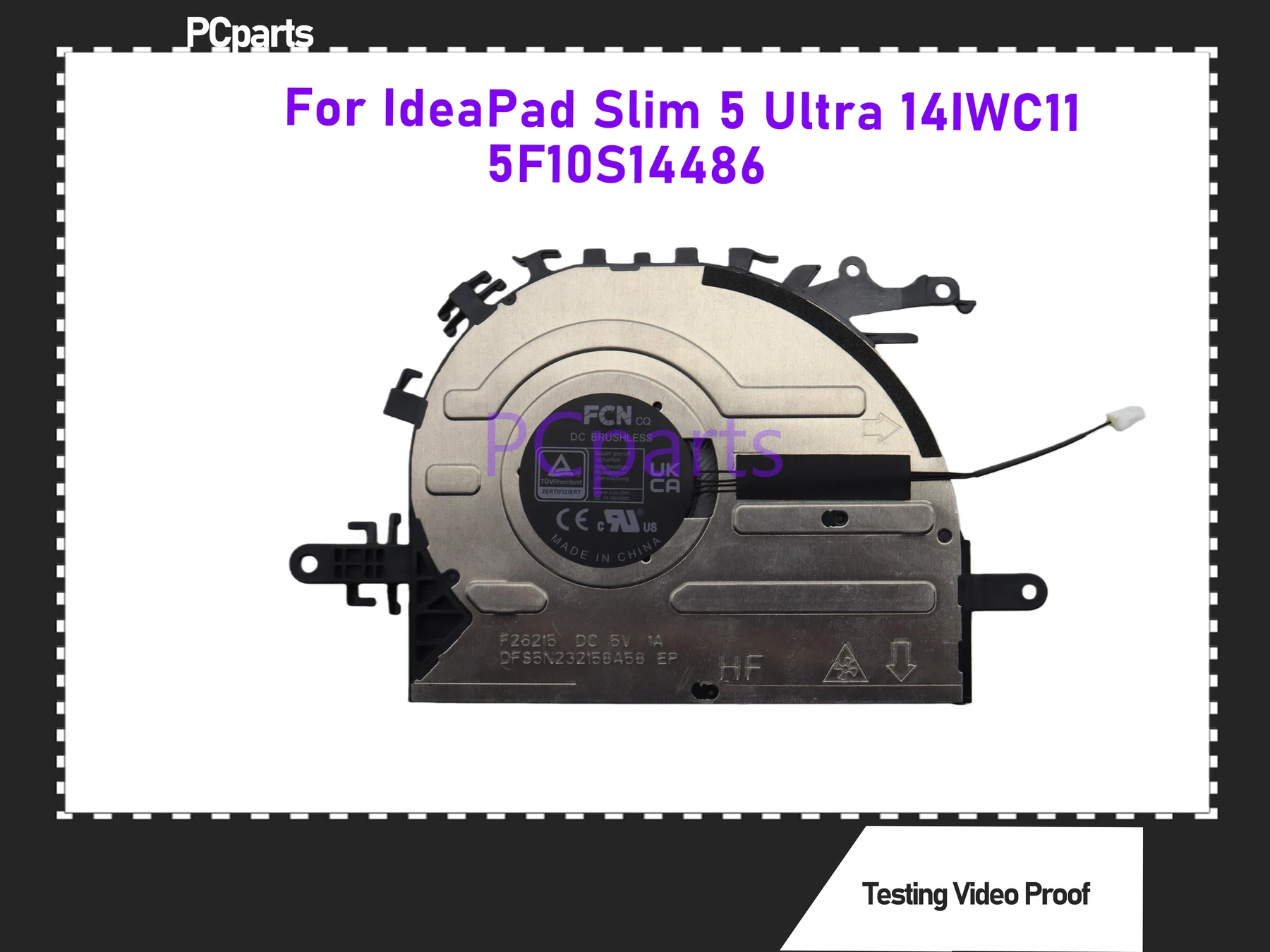
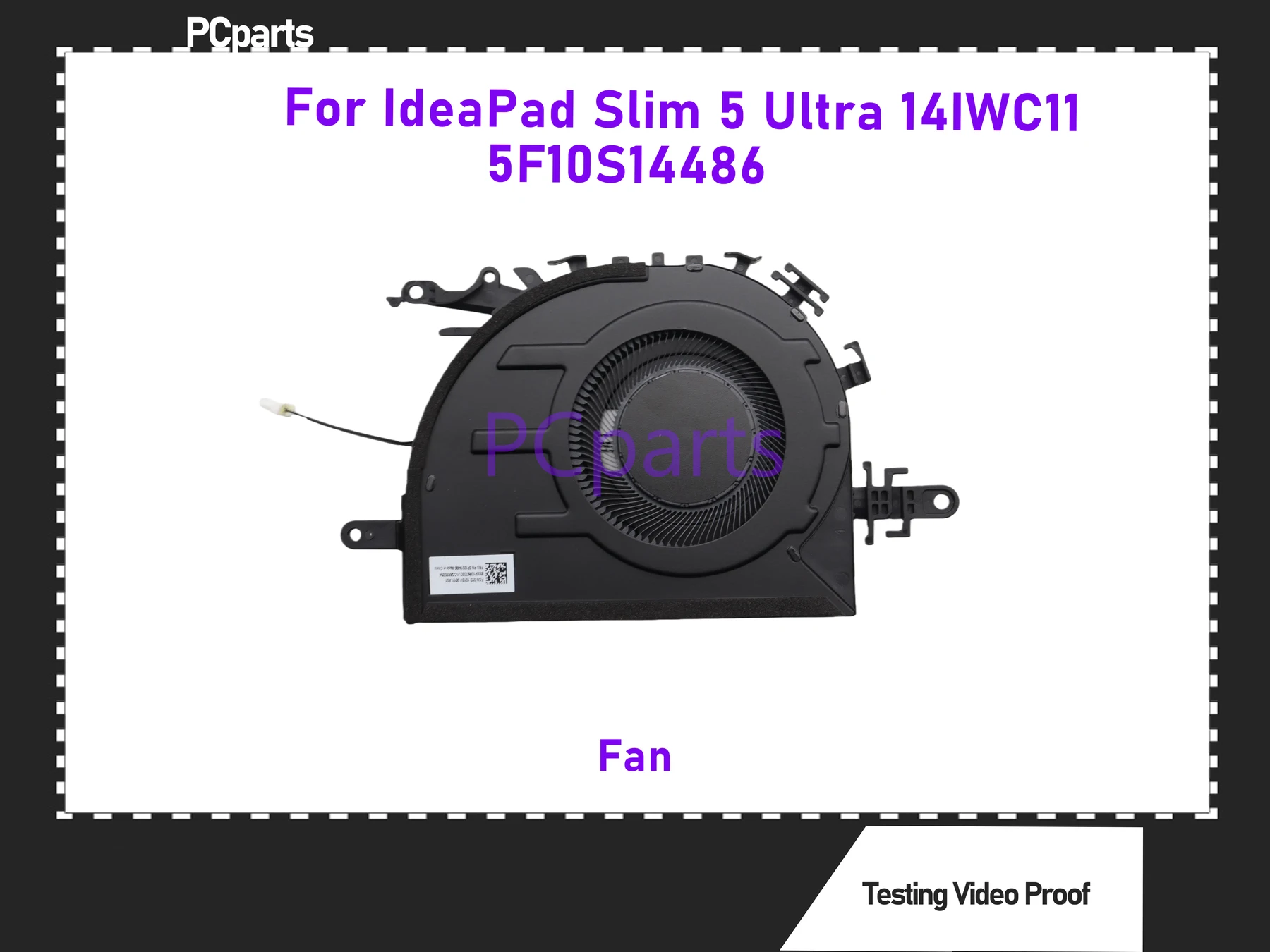
fan assembly. Mounting holes, shroud profile and connector
location follow the original Lenovo FRU design, so no
modification is required.
Every unit is spin-tested and connector-checked before
packing. Supplied in an anti-static bag.
IMPORTANT: Lenovo cooling fans are FRU-specific. Same laptop
family can use different fan assemblies across CPU/platform
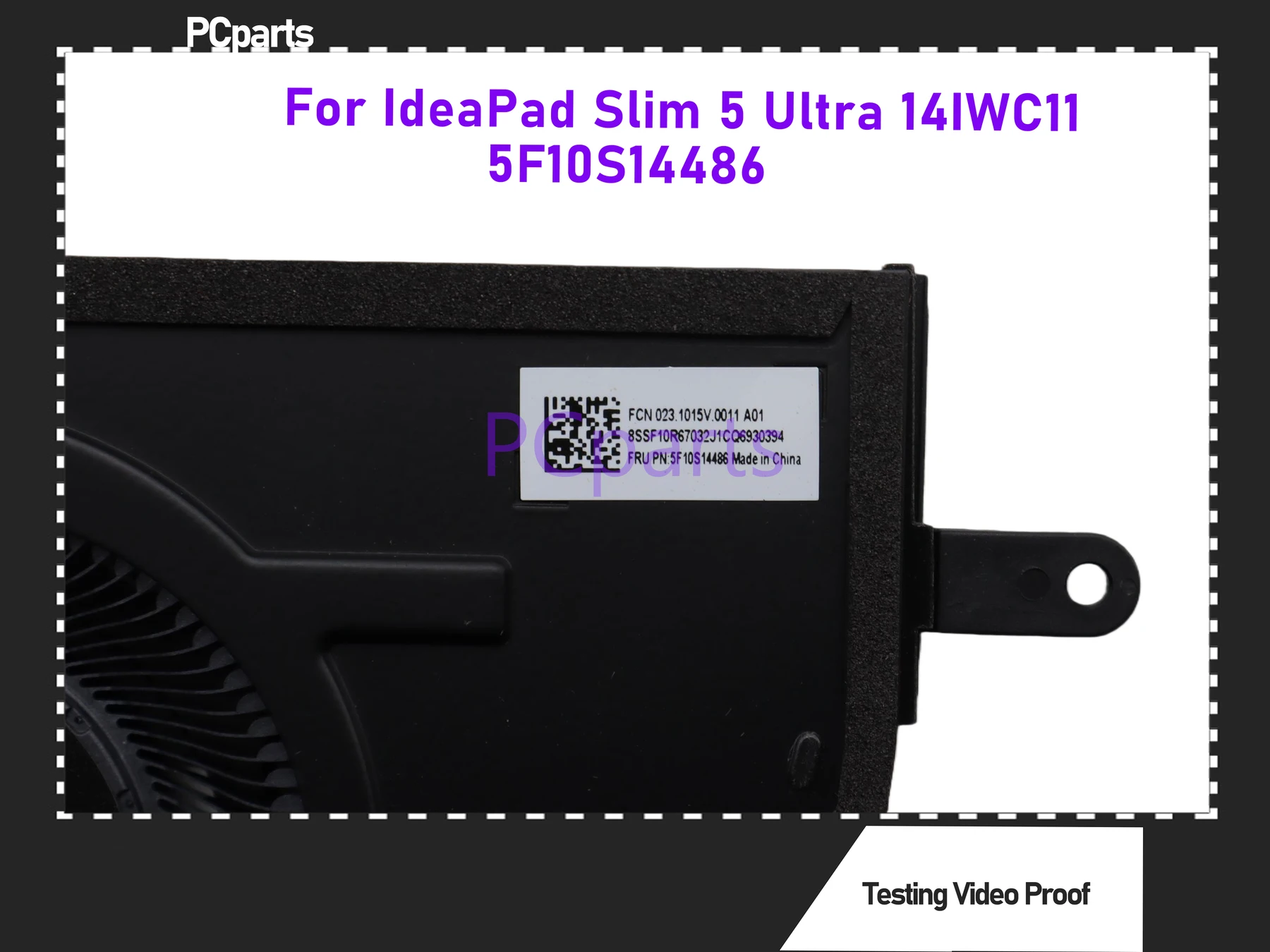
and production batches. Always match your ORIGINAL FAN
STICKER PART NUMBER before ordering - not just the laptop
model name.
KEY SPECIFICATIONS
------------------------------------------------------------
Product Type .............. CPU Cooling Fan (internal)
Primary P/N ............... 5F10S14485
Related P/N ............... 5F10S14486
Compatible Platform ....... IdeaPad Slim 5 Ultra 14IWC11
(Machine Type 83YV)
Fan Type .................. Blower / centrifugal
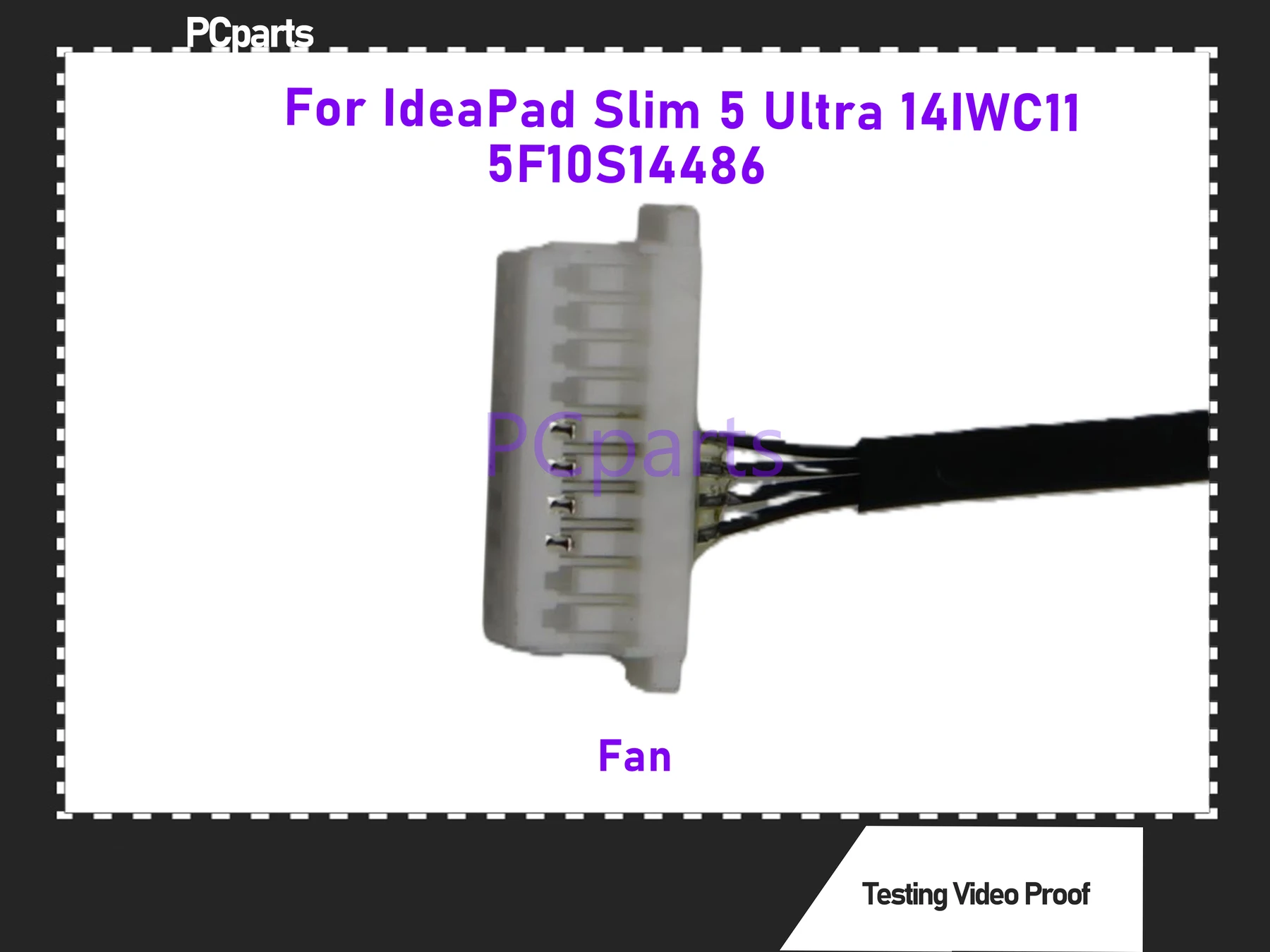
Connector ................. Lenovo laptop fan header
(match original pin count & keying)
Electrical Rating ......... Check the label on your ORIGINAL
fan before install - do not guess
Mounting .................. Direct replacement, reuse original screws
Condition ................. New, 100% tested
Warranty .................. 45 days, seller warranty
Brand ..................... PCparts (third-party new)
Country of Manufacture .... China
NOTE: Voltage / current / pin count are NOT listed here as
fixed values. Laptop fans in the same family can ship with
different ratings by batch. Verify the electrical rating and
connector on your ORIGINAL fan label before purchase.
COMPATIBILITY - PLEASE READ BEFORE ORDERING
------------------------------------------------------------
This fan is built to Lenovo fan P/N 5F10S14485
(related: 5F10S14486).
Title-listed compatible model:
- Lenovo IdeaPad Slim 5 Ultra 14IWC11 (83YV)
Final compatibility = PART NUMBER + CONNECTOR, not model name.
HOW TO CONFIRM YOUR PART NUMBER
------------------------------------------------------------
Option 1 - Check your original fan:
1. Remove the bottom cover of your laptop.
2. Read the sticker on the existing fan.
3. If it reads 5F10S14485 or 5F10S14486, this is the
correct fan family.
Option 2 - Check with Lenovo:
1. Find the Machine Type / Serial on the bottom label
(14IWC11 = Machine Type 83YV).
2. Look it up on Lenovo parts lookup
(lenovo.com/serviceparts-lookup).
3. Compare the listed fan FRU with 5F10S14485.
Option 3 - Ask us:
Send a clear photo of your old fan label + connector, and
we will confirm the match before you order.
WHAT WILL NOT FIT
------------------------------------------------------------
- Laptops whose original fan carries a different FRU.
- IdeaPad Slim 5 14" / 15" older generations (14IRL8, 14ABR8,
15ARP10, 15IWC11, etc.) - these use different fan P/Ns.
- Models where the fan+heatsink are one sealed module, unless
your original is also a standalone fan.
- Different connector pin count or shroud shape than shown.
WHAT IS INCLUDED
------------------------------------------------------------
- 1 x CPU Cooling Fan (5F10S14485 spec)
- Anti-static protective bag
NOT INCLUDED
------------------------------------------------------------
- Mounting screws (reuse from original fan)
- Thermal paste or thermal pads
- Heatsink / heat pipe
- Installation tools
- Any other internal components
INSTALLATION GUIDE
------------------------------------------------------------
Difficulty: Medium-Low (standard Lenovo 14" bottom service)
TOOLS
- Torx T5 (bottom cover)
- Phillips #0 (fan screws)
- Plastic spudger
- Anti-static wrist strap (recommended)
REMOVAL
1. Shut down fully. Unplug AC and any peripherals.
2. Remove the 9 bottom-cover Torx T5 screws.
3. Pry the lower cover gently with a plastic spudger, starting
at the rear hinge seam.
4. DISCONNECT THE BATTERY CONNECTOR FIRST. The fan header can
stay live even when powered off.
5. Disconnect the Wi-Fi antenna leads from fan hooks if
applicable, then release the fan cable latch - pull the
connector, NOT the wires.
6. Remove the 3 Phillips #0 fan screws.
7. Lift the fan out straight - do not bend the blades.
INSTALLATION
1. Blow out dust from the heatsink fins with compressed air.
2. Clean old thermal paste from the CPU with isopropyl alcohol
and a lint-free cloth.
3. Apply a small pea-sized dot of fresh thermal paste.
4. Seat the new fan, align all screw holes before tightening.
5. Tighten the 3 screws evenly and snug - do NOT over-torque.
6. Plug in the fan connector - match the latch orientation.
7. Reconnect the battery, snap the bottom cover, reinstall
the 9 Torx screws.
8. Power on and confirm the fan spins up normally. Check CPU
temperature under load.
COMMON MISTAKES TO AVOID
------------------------------------------------------------
- Ordering by "IdeaPad Slim 5 14"" only. The 14" family spans
many generations with different fans - match the FRU.
- Skipping battery disconnect. Risk of shorting the fan
control circuit.
- Pulling the fan cable by the wires. Use the connector body.
- Forcing the connector backwards. Laptop fan headers are
keyed but not standardized across generations.
- Reusing dry thermal paste. Causes hotspots and throttling.
- Mixing screw lengths. Bottom-cover and fan screws are
different lengths - keep them separated.
- Over-tightening fan screws. The housing cracks easily.
BEFORE YOU BUY - CHECKLIST
------------------------------------------------------------
[ ] Machine is IdeaPad Slim 5 Ultra 14IWC11 (83YV), or
PartSurfer confirms 5F10S14485 for your serial.
[ ] Original fan sticker reads 5F10S14485 or 5F10S14486.
[ ] Connector shape & pin count match the listing photos.
[ ] Screw holes line up with your original fan.
[ ] Fault is fan-related: grinding, rattling, no spin,
loud noise, overheating with fan stalled.
IF YOUR SYMPTOM IS DIFFERENT
------------------------------------------------------------
- No display / no POST ............ likely motherboard/RAM
- Overheats but fan spins .......... check paste + heatsink
contact first
- Fan always full speed ........... check connector seating
- Battery not charging ............ power/charging circuit,
not the fan
WARRANTY AND SUPPORT
------------------------------------------------------------
45-day seller warranty covering DOA, no-spin, and abnormal
bearing noise under normal use.
This is a seller warranty, not a Lenovo factory warranty.
To make a claim, provide:
- Order number
- Photo of the received fan label
- Short description or video of the fault
Warranty does not cover damage from wrong-model use, forced
connectors, over-tightening, liquid damage, or incorrect
installation.
PACKAGING AND SHIPPING
------------------------------------------------------------
Each fan is packed in an anti-static bag with bubble
protection. Inspect on arrival before installation. Contact
us immediately if anything is damaged in transit.
QUESTIONS?
------------------------------------------------------------
Not sure if this fits? Send a photo of your old fan label
(and connector close-up) plus your laptop MT (e.g. 83YV) -
we will confirm before you order.
============================================================
Part Number Reference: 5F10S14485 / 5F10S14486
============================================================