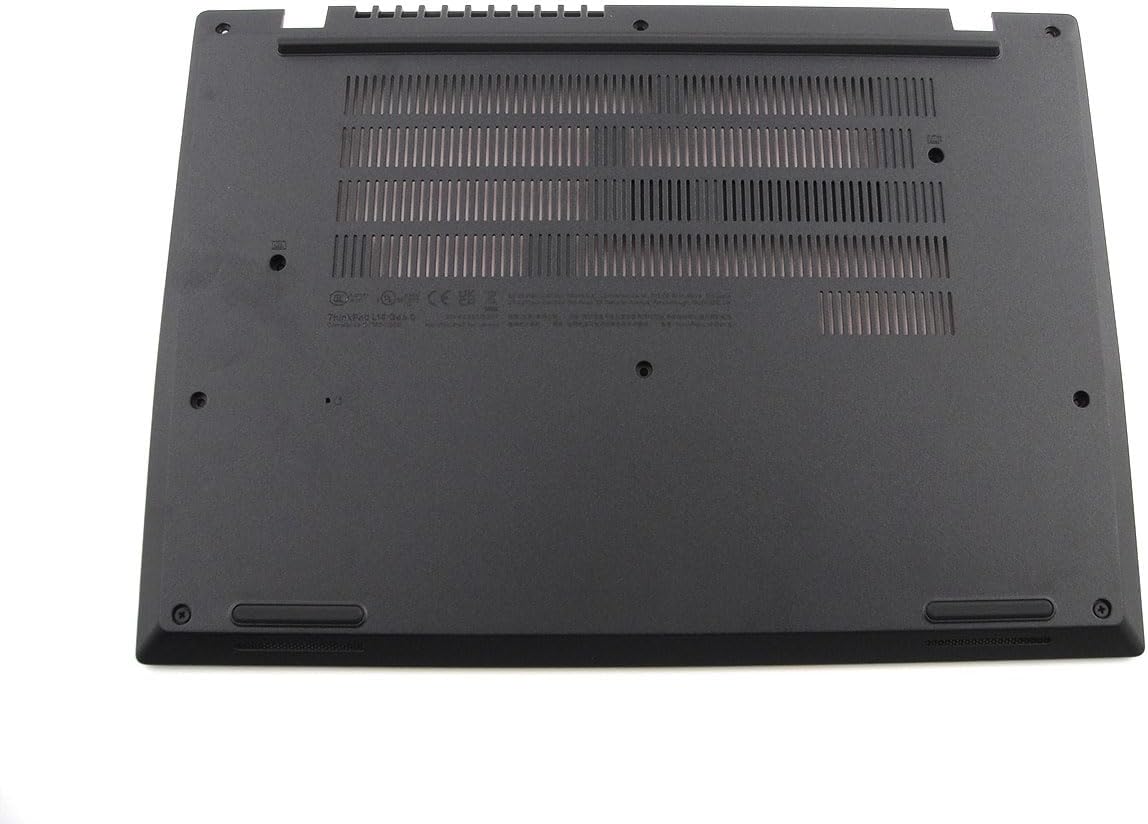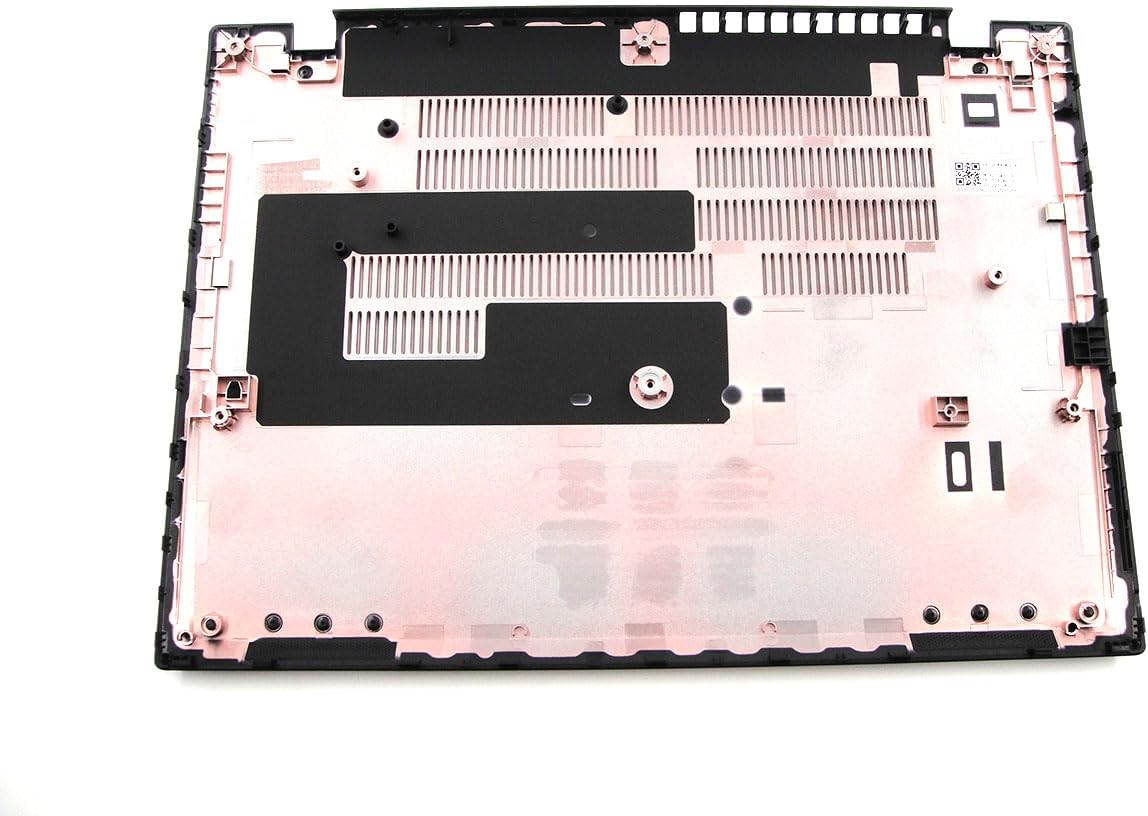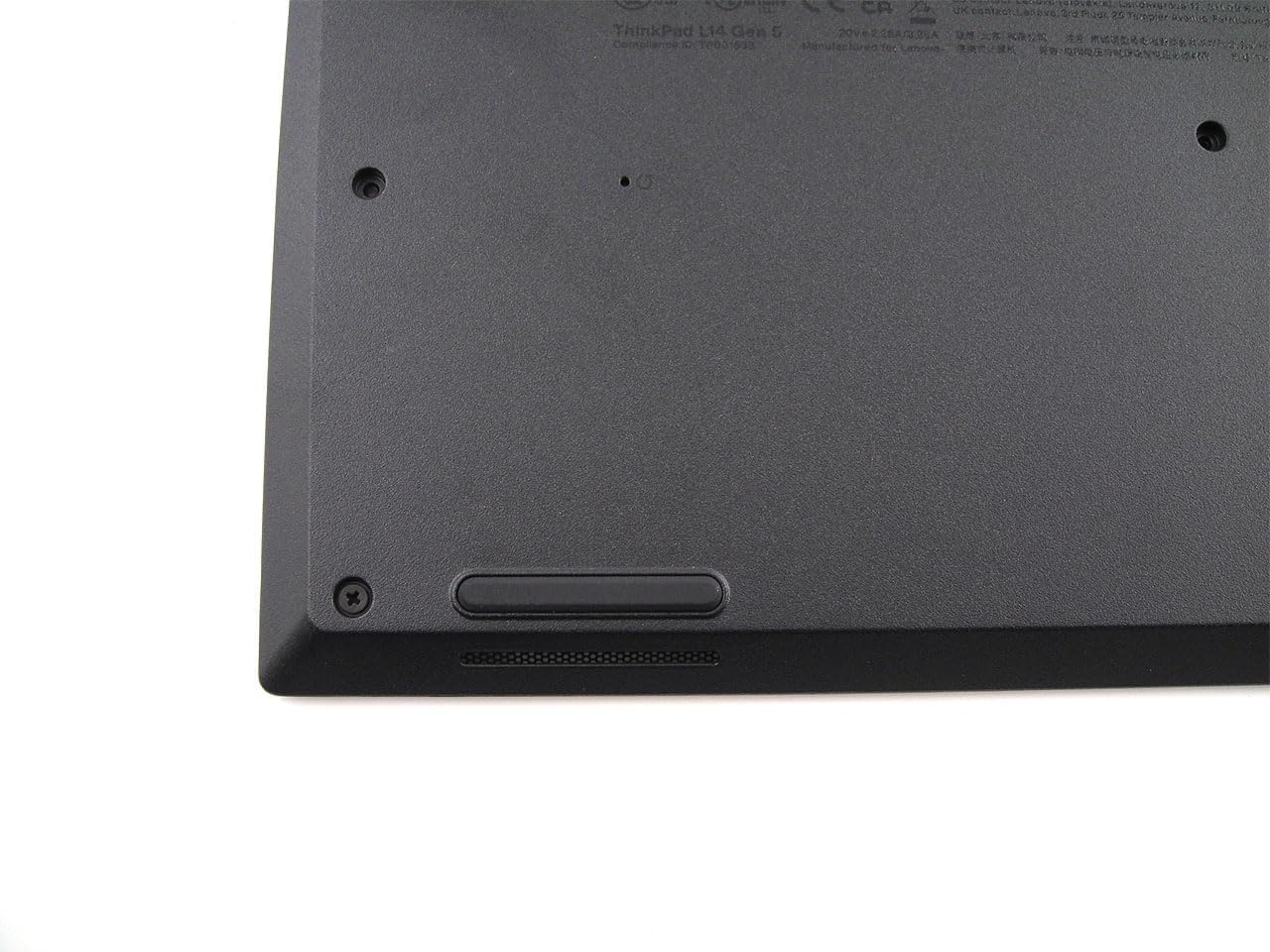


StoneTaskin For Lenovo ThinkPad L14 Gen 5 Base Cover / Lower Case — Black — 5CB1M21520 — 45 Days Warranty
Product Description:
This is a replacement base cover (lower case / D-cover) for the Lenovo ThinkPad L14 Gen 5 (2024 release, 14″ business laptop). The part carries Lenovo FRU 5CB1M21520 and is sold by third-party supplier StoneTaskin. It is the bottom shell of the laptop — the piece that faces your desk, houses the vent cutouts, rubber feet, and screw bosses for the internal components. Not the palmrest/top case, not the display assembly. Comes with a 45-day seller warranty (not Lenovo official).
⚡ Core Specifications
|
Item |
Details |
|---|---|
|
Lenovo FRU |
5CB1M21520 |
|
Compatible Model |
ThinkPad L14 Gen 5 — Machine Types 21L1 (Intel) / 21L2 (AMD) |
|
Not Compatible With |
L14 Gen 1–4, L15 Gen 5, E14 Gen 5 — different screw boss layout, port cutouts, and chassis geometry |
|
Material |
PC + ABS (polycarbonate + acrylonitrile butadiene styrene) — black matte textured finish |
|
Color |
Black (standard ThinkPad L-series) |
|
Key Features |
Vent grilles, rubber foot mounts, screw boss inserts, bottom label area, docking-port clearance (L14 Gen5 supports USB-C dock / optional mechanical dock lip depending on config) |
|
Condition |
New third-party (StoneTaskin) |
|
Warranty |
45 Days — seller-level, not Lenovo factory |
🔍 Compatibility — The Critical Bit
ThinkPad L-series naming is confusing because L14 Gen 5 coexists with L15 Gen 5, and the Gen 1–4 L14 chassis are notthe same:
|
Model |
Machine Type |
Year |
|---|---|---|
|
L14 Gen 1 |
20U1 / 20U2 / 20U5 / 20U6 |
2020 |
|
L14 Gen 2 |
20X1 / 20X2 / 20X3 / 20X4 |
2021 |
|
L14 Gen 3 |
21C1 / 21C2 / 21C5 / 21C6 |
2022 |
|
L14 Gen 4 |
21H1 / 21H2 / 21H3 / 21H4 |
2023 |
|
L14 Gen 5 |
21L1 (Intel, up to Core Ultra 5/7 "Meteor Lake" or 13th-gen Raptor Lake-U refreshes) / 21L2 (AMD, Ryzen 7030/8040 series) |
2024 |
⚠️ L14 Gen 5 = 21L1 / 21L2 only. The FRU 5CB1M21520 will not fit Gen 1–4, even though the outside dimensions look similar. The bottom vent pattern, USB-C cutouts, and screw boss positions were revised for Gen 5 (new platform, new thermal/fan layout). Always confirm your bottom sticker reads 21L1 or 21L2.
Intel vs AMD within Gen 5
L14 Gen 5 ships both Intel (21L1) and AMD (21L2) trims. In most Lenovo L-series, Intel and AMD Gen5 share the same base cover FRU (chassis is common, internals differ), but it's worth a quick double-check — if StoneTaskin lists 5CB1M21520 as covering both, you're fine. If you want 100% certainty, flip your current base over and look for the FRU sticker — should read 5CB1M21520or a close sibling.
🏗️ What This Base Cover Includes / Doesn't
|
✅ Typically Included |
❌ NOT Included |
|---|---|
|
Bottom shell (PC+ABS, black textured) |
Internal components (battery, motherboard, RAM, SSD, etc.) |
|
Screw boss inserts (metal-threaded) |
Rubber feet (sometimes pre-installed, sometimes not — confirm with seller) |
|
Vent cutouts (fan exhaust, speaker grill) |
Bottom label / COA sticker (you transfer yours or reprint) |
|
Docking / USB-C clearance cutouts |
Screws (usually transfer from old base) |
|
SIM / WWAN door (if your config has WWAN) |
Palmrest / top case / keyboard |
💡 Many third-party base covers ship bare — no rubber feet, no screws, no labels. Budget ~$5–10 for a foot kit and keep your old M2-class screws (L14 uses several different screw lengths — keep them organized by location).
🔧 Installation Difficulty: Medium (Full Strip)
Replacing the L14 Gen 5 base cover means removing everything — the base is the last thing that goes on, so to swap it you're essentially doing a full teardown:
From Lenovo HMM flow (L14 Gen 5):
-
Shut down, disconnect AC, flip over
-
Remove old base screws — L14 Gen 5 uses a mix of M2 × 6 mm and M2 × 3 mm class screws in specific positions (marked on the old base with icons: keyboard, touchpad, etc.)
-
Pry the old base off — plastic spudger at the smart-card / USB side gap first, then work around. The L-series base is secured by clips + screws.
-
Transfer / document everything — once the base is off, you'll see:
-
Battery (internal, disconnect first!)
-
SSD (M.2 2242 or 2280, depending on config)
-
WWAN (optional)
-
WLAN card
-
Fan + heatsink
-
Speakers (mounted to base in some trims)
-
NFC / smart card reader (if equipped)
-
-
Move all components to the new base — or more practically: move the motherboard + battery + speakers + heatsink as an assembly onto the new base, then resecure. Which path depends on how far you strip it.
-
Reassemble — screw down in the correct length order (using the icon map on the insideof the base cover — keyboard-icon screws go in keyboard-zone holes, etc.)
L14 Gen 5-Specific Pitfalls
|
Mistake |
Consequence |
|---|---|
|
Mismatched screw lengths |
L14 uses 3–4 different M2 screw lengths — putting a long one where a short belongs punches through the motherboard or palmrest |
|
Forgetting battery disconnect |
Live rails near the fan/USB-C area — short risk |
|
Rubber feet not transferred / not sticking |
L14 sits on those feet for cooling clearance; missing feet = chassis rocks + blocked intake |
|
Speaker wires pinched |
L14 Gen 5 speakers are often base-mounted — reassembly pinch kills audio |
|
WWAN antenna routing |
If your L14 has WWAN, the aux/main coax route along the base edge — make sure they're not kinked when the new base goes on |
📦 Package Contents (Typical)
-
1× Base Cover (FRU 5CB1M21520) — black
-
(Rubber feet — maybepre-installed, confirm with seller)
-
(Screws — usually NOT included; transfer yours)
✅ Pre-Purchase Checklist
-
Confirm MTM = bottom sticker reads 21L1 (Intel) or 21L2 (AMD) — L14 Gen 5 only
-
Confirm FRU — flip the old base (once off) and check for
5CB1M21520printed on the inside rib -
Why are you replacing?
-
Cracked near USB-C / hinge area (common drop damage)
-
Bent base (laptop sat on / crushed in bag)
-
Cosmetic (deep gouges, peeling texture)
-
WWAN door broken
-
-
Do you need rubber feet? — ask StoneTaskin if they're pre-mounted; if not, grab a generic L14 foot kit (usually ~$6–12)
-
Screw organization — when you strip the old base, lay screws out on a paper template labeled by zone (keyboard / touchpad / edge / battery). L14 Gen 5 has ~8–10 different screw positions.
💰 Bottom Line
The 5CB1M21520 base cover is the correct OEM-spec bottom shell for ThinkPad L14 Gen 5 (21L1/21L2). StoneTaskin's version is a third-party new part — cheaper than Lenovo's FRU pricing (~$45–80 vs. Lenovo's $130+ list), with the trade-off being 45-day seller warranty only and likely bare (no feet, no screws, no label). The L14 Gen 5 uses a common Intel/AMD chassis, so this FRU should cover both 21L1 and 21L2 trims, but double-check your MTM before ordering since Gen 3/4 bases look deceptively similar.
If you want, paste your MTM (21L1 / 21L2 + suffix) and I'll confirm the FRU match and whether your config (WWAN? smart card? fingerprint?) has any extra cutout requirements on the base.